List randomizer demo screenshot
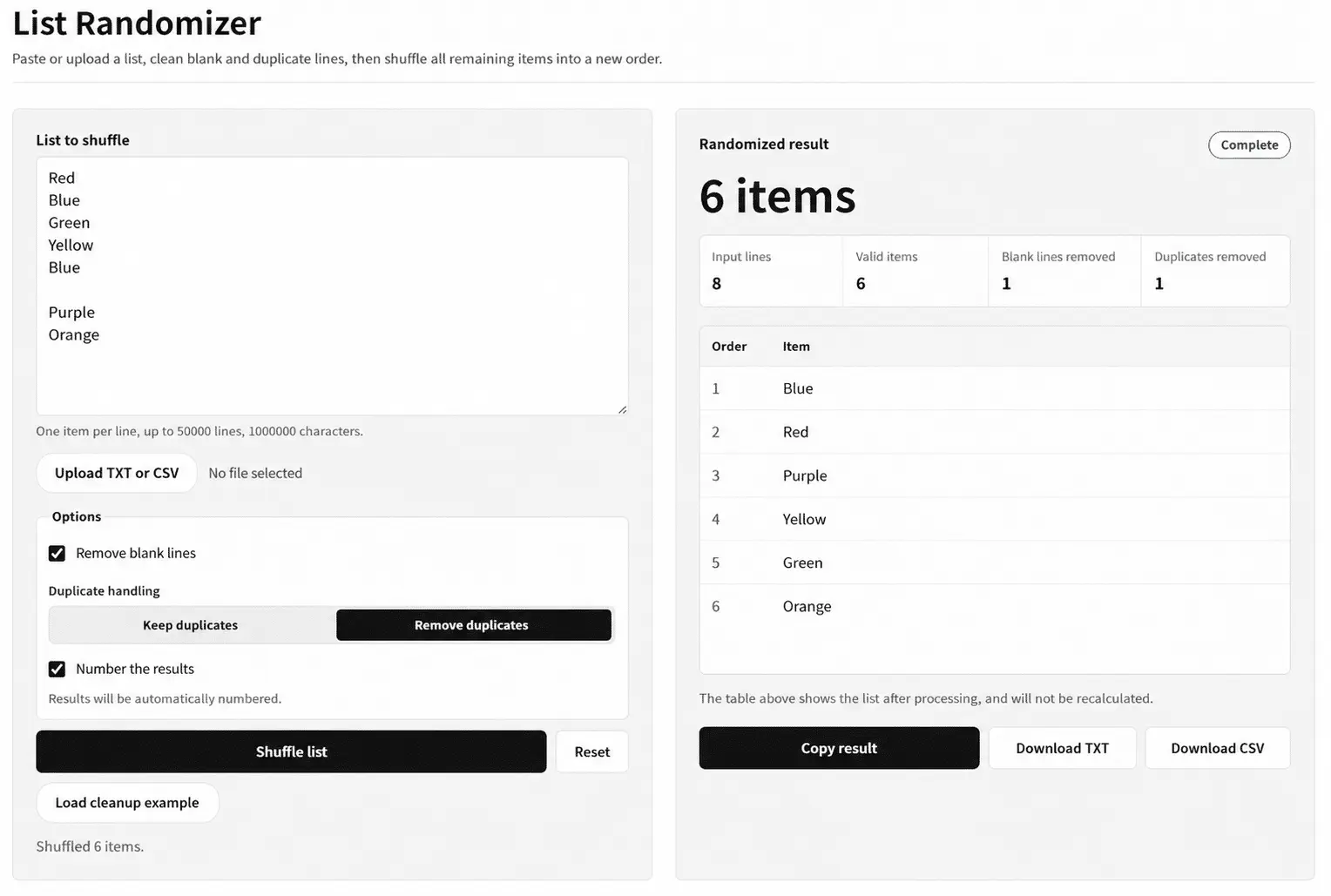
This screenshot shows the complete list randomizer workflow: enter a list, clean blank or duplicate lines, shuffle every remaining item, and review the counts before copying or downloading the result.
Paste or upload a list, clean blank and duplicate lines, then shuffle the remaining items into a new order.
| Order | Item |
|---|---|
| The complete shuffled list will appear here. | |
The table, counts, copy action, and downloads all use the same processed list; nothing is shuffled a second time.
The tool first cleans the list according to your options. It then walks backward from the last position and swaps each item with a random position in the portion that is not fixed yet.
Random indexes come from the Web Crypto API and use rejection sampling to avoid modulo bias; the tool does not fall back to Math.random().
Blank-line removal, trimming, and duplicate handling happen once before the shuffle. Duplicate matching is case-sensitive, and the first occurrence is kept when duplicates are removed.
The result shows input lines, valid items, removed blank lines, and removed duplicates together. When duplicates and blank lines are kept, the output count matches the input line count.
This screenshot shows the complete list randomizer workflow: enter a list, clean blank or duplicate lines, shuffle every remaining item, and review the counts before copying or downloading the result.
Pasted text and selected files are read and processed in this browser. The list is not uploaded, no runtime API is called, and list contents are not written to localStorage.
Only the options to remove blank lines or duplicate items reduce the list. The result panel shows exactly how many lines were removed.
Yes. Duplicates are kept by default, and identical lines remain separate entries during the shuffle.
No. Numbering is off by default and only changes the result table, copied text, and exported files when enabled.